
Team fixtures
If you play in one of your club’s league teams, your captain uses ePegboard to sort out each match: who’s free, who’s playing, and who’s on standby. Your side of it is a couple of taps.
Saying if you’re free
Section titled “Saying if you’re free”Before a match, your captain drops one link into your team’s WhatsApp group. Tap it and you land on the fixture - who you’re playing, when, where, and how many players the captain needs.
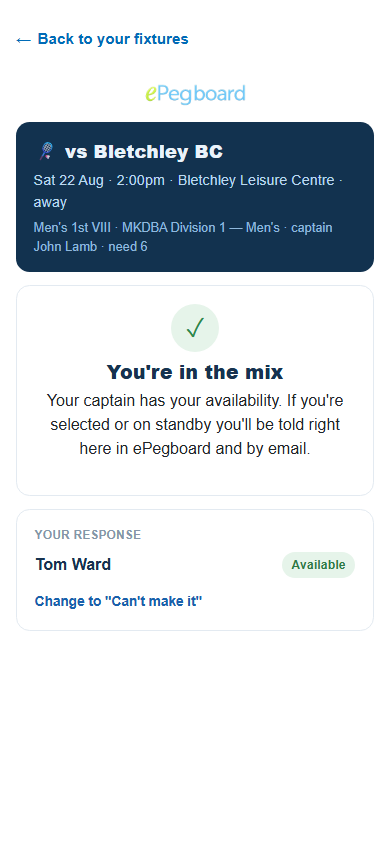
You confirm which squad member you are, then tap I’m available or Can’t make it. That’s it - your captain sees your answer straight away.
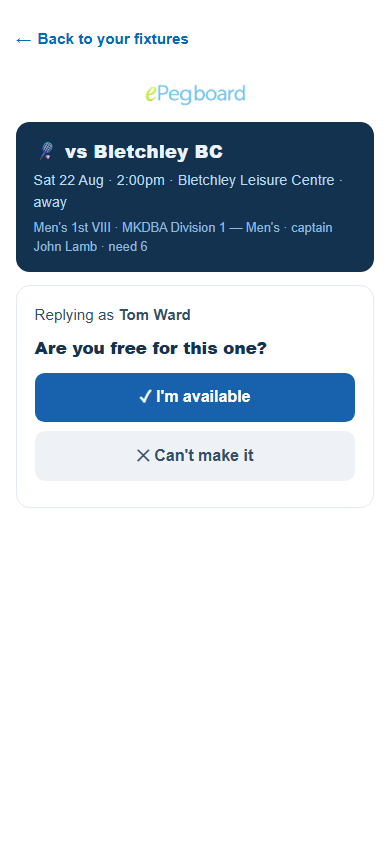
If you don’t have an ePegboard account yet, some clubs let replying be your sign-up - there’s nothing extra to do. You tick to agree, your reply is recorded, and you get your own account, tied to your name, rating and history at the club. No app to install and no password to invent. From then on you’ve got your own view of the club: your fixtures, your rating and your recaps.
Whether that’s open to you is your club’s choice. Most clubs prefer to approve who connects, and at those clubs the page asks you to sort it out with your captain first - it says Ask your captain to connect you. Once you’re connected, replying to a fixture is a single tap from then on. Your club’s join code is the quickest way to get connected.
Your Team fixtures
Section titled “Your Team fixtures”Once you’re in a squad with a match coming up, open your club from play.epegboard.com and you’ll see a Team fixtures item in the club menu. It lists your upcoming fixtures and, for each, where you stand - available, can’t make it, playing, on standby, or still to reply. If a fixture is waiting on your answer, the menu carries a small count so you don’t miss it.
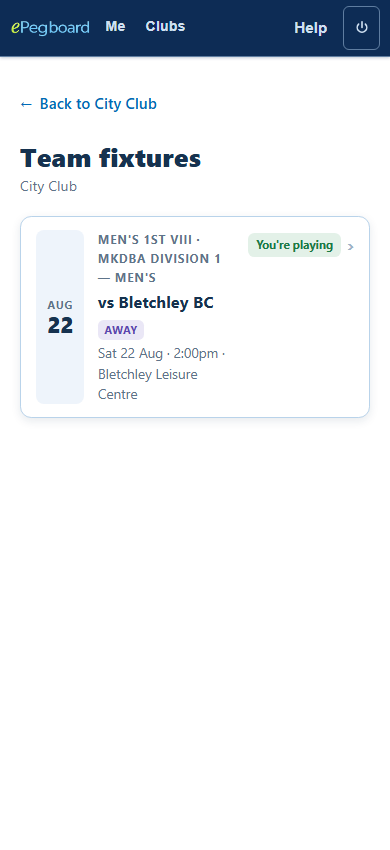
Each club keeps its own fixtures, so if you play for teams at more than one club, you’ll find each club’s fixtures on that club’s page.
When you’ve been picked
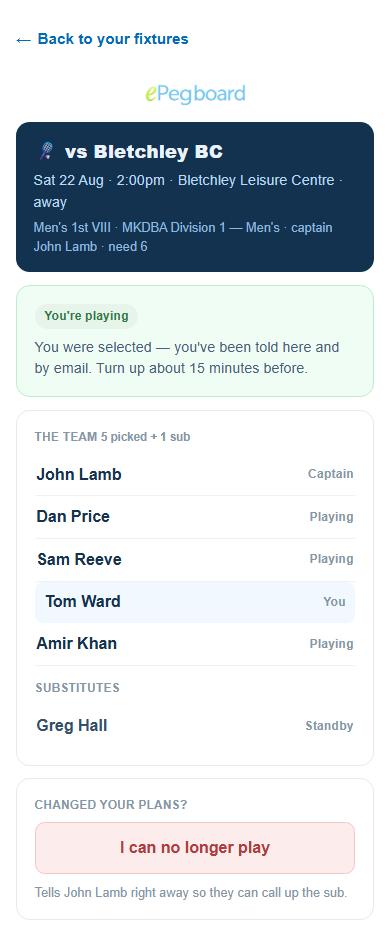
Section titled “When you’ve been picked”If your captain picks you, you’re told in ePegboard and by email. Both land you on the fixture view: it leads with your status - You’re playing or on standby - then shows the full team and the match details, so you know where and when to turn up.
If your plans change
Section titled “If your plans change”On the fixture view there’s an I can no longer play button. Tap it and your captain is told right away, so they can call up a substitute. It’s better than a message that might get missed in the group chat.
- Claim your spot - more on your account and how it carries your rating and history across clubs.
- Your rating and stats - the rating and season rank you get at each club you play at.
- For players - everything you get as a player on ePegboard.