
Run a competition
This guide covers running a competition once it has started: entering scores, reading the group standings, building the knockout, and crowning the winner. To set one up first, see Set up a handicap tournament.
Open the competition from Competitions in the menu. It opens on its overview, with the groups and (later) the knockout below.
Enter the group scores
Section titled “Enter the group scores”Each group shows its round-robin matches. For a match, choose Enter score. A small panel opens with a button for each pair; tap a pair to set its score on a quick number grid, then Save.
Where a pair has a head start, it is shown next to their name (for example, “+4”), and their score starts from there. You do not enter the head start - ePegboard has already worked it out from the ratings.
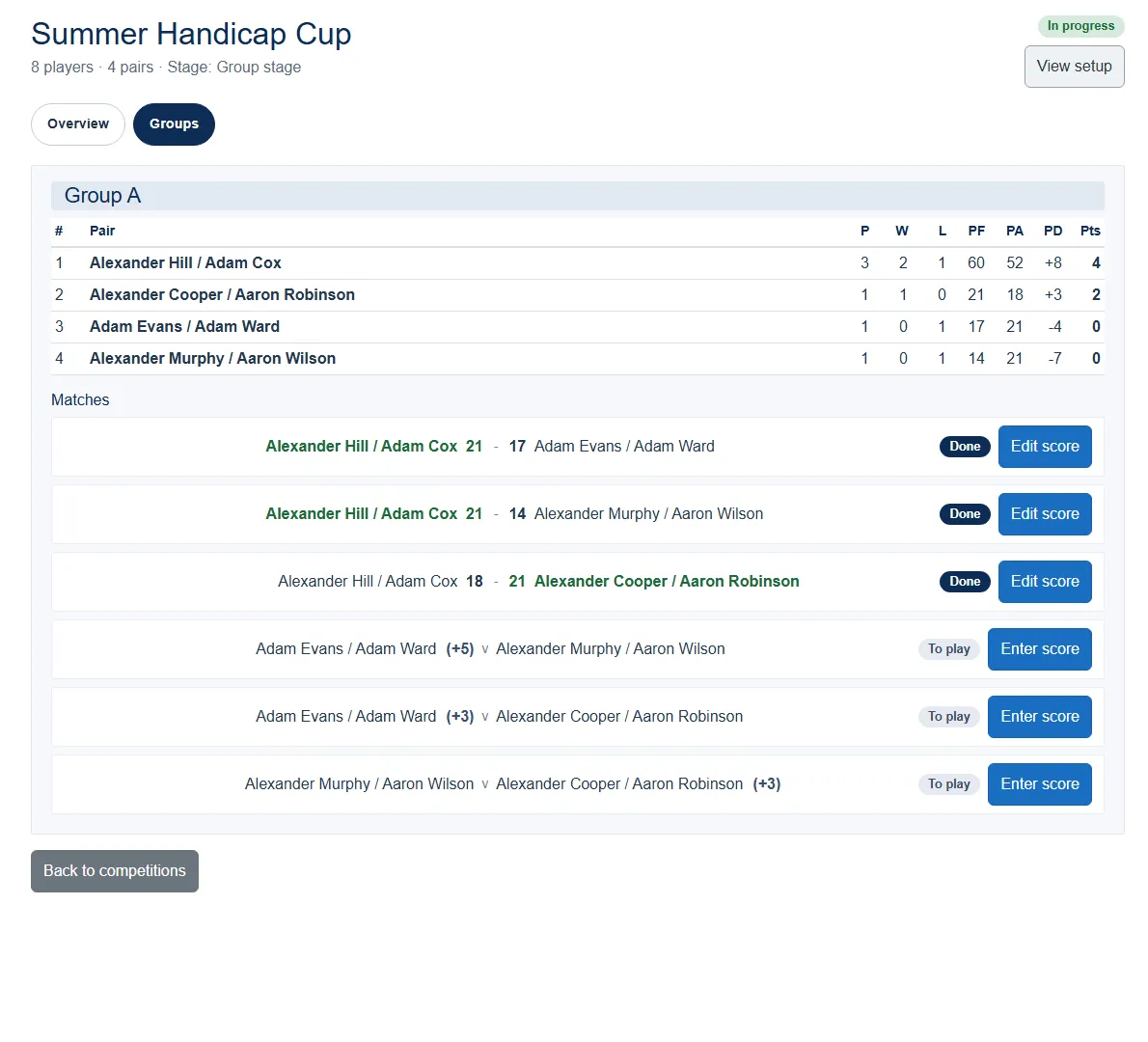
You can edit a score you have already entered - choose Edit score on that match.
Read the standings
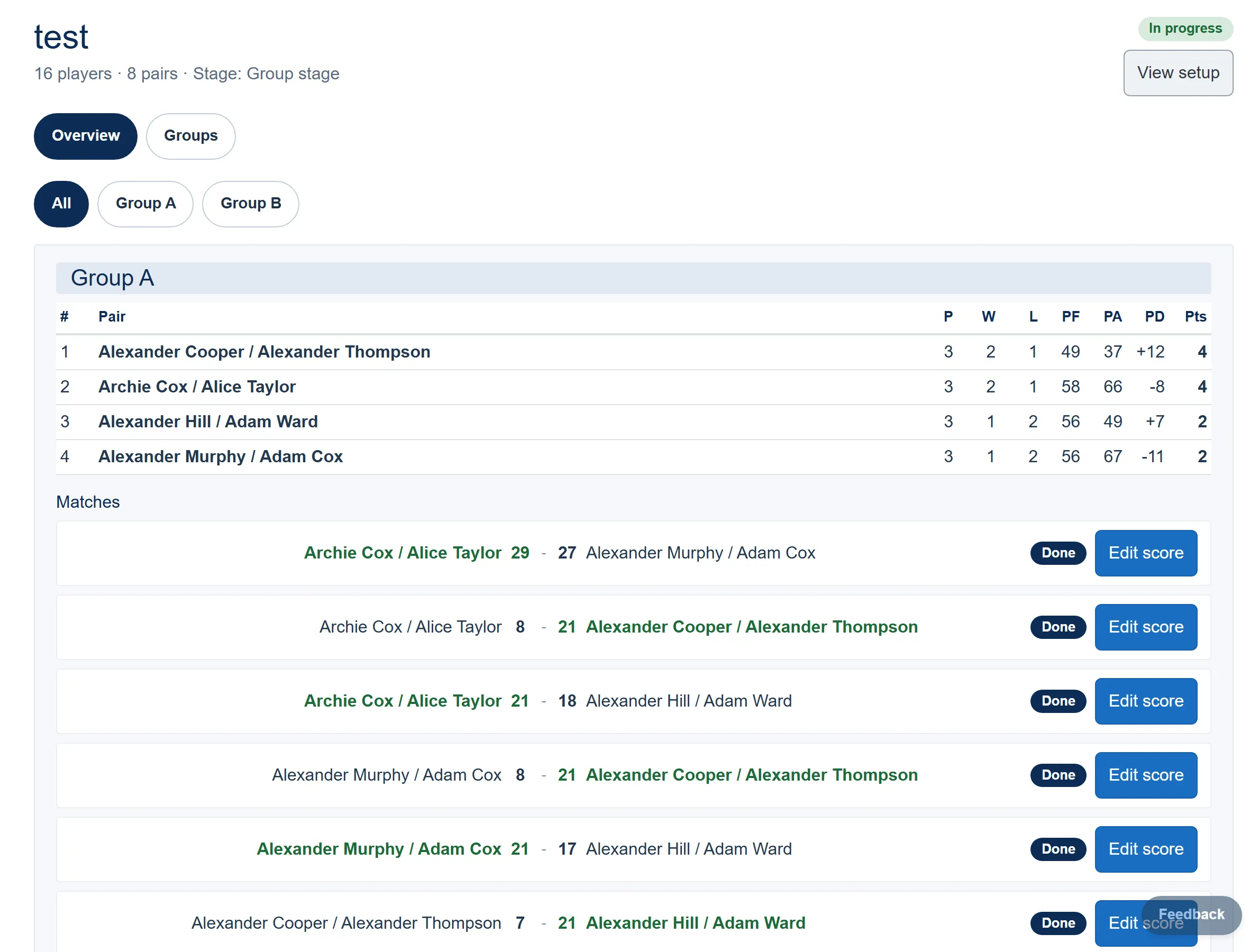
Section titled “Read the standings”Each group has a standings table that updates as results come in:
| Column | Meaning |
|---|---|
| P | Matches played |
| W / L | Won / lost |
| PF / PA | Points for / against |
| PD | Points difference |
| Pts | Competition points (two per win) |
Pairs are ranked by matches won, then by points difference if that is level. The top two in each group qualify for the knockout.
Build the knockout
Section titled “Build the knockout”Once every group match has a score, the knockout becomes available. If two pairs are tied for the last qualifying place in a group, ePegboard asks you to pick who goes through. Then choose Generate knockout to draw the bracket from the group qualifiers.
Entering a group score after this point is locked, so the bracket cannot shift under you - though you can still correct a clear mistake.
Run the knockout
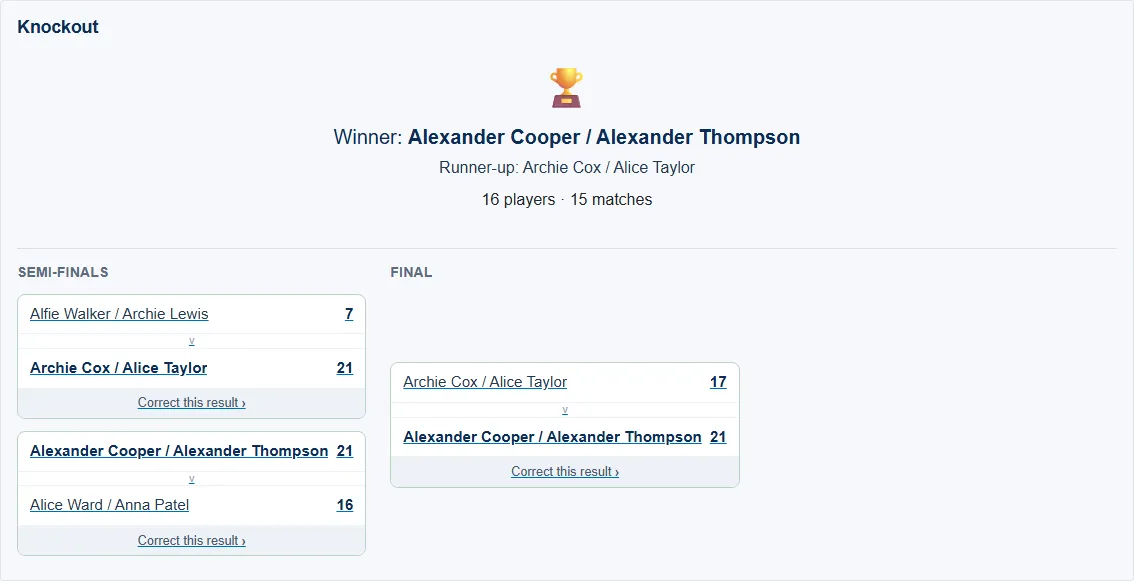
Section titled “Run the knockout”The bracket shows each tie. Open a match that is ready, enter the score the same way as the group games (head starts are shown again where they apply), and save. Winners advance automatically, and slots waiting on an earlier result show what they are waiting for.
Finish
Section titled “Finish”When the final is decided, the competition shows the winner and runner-up with the day’s totals. The bracket stays on screen for reference. If you spot a wrong score afterwards, you can still correct a result.
Related
Section titled “Related”- Set up a handicap tournament
- Competitions reference
- How ratings work - ratings drive the pairing and the head starts.