
Competitions
Competitions let you run a handicap doubles tournament at your club: pairs drawn from your members, a round-robin group stage, then a knockout - with a head start for the weaker pair in each game so abilities are evened out and anyone can win.
Open Competitions from the menu to get started. For step-by-step help, see Set up a handicap tournament and Run a competition.
Setting up a competition
Section titled “Setting up a competition”Setup runs as a short wizard. You can step back and forth until you start the competition; once it starts, the draw locks and the setup becomes read-only.
- Details - name, start date, and an optional description.
- Players - pick who is taking part from your club members. You need an even number, at least four. (Competitions use club members; guests are not added here.)
- Pairs - ePegboard draws balanced pairs: it puts stronger players with weaker ones, so the pairs are deliberately uneven. The handicap (below) is what evens out each game, not the pairing. You can also pair people manually, lock a pair so it survives a redraw, veto a pairing (“do not put X with Y”), swap a player, or regenerate the whole draw.
- Groups - choose a group size (3, 4 or 5). Allocate pairs at random, or by rating so the strongest pairs are spread one per group. Each group plays a round-robin (every pair plays every other pair once); the fixtures are generated for you.
- Rules - scoring matches your club nights: games to 21, win by two, capped at 30.
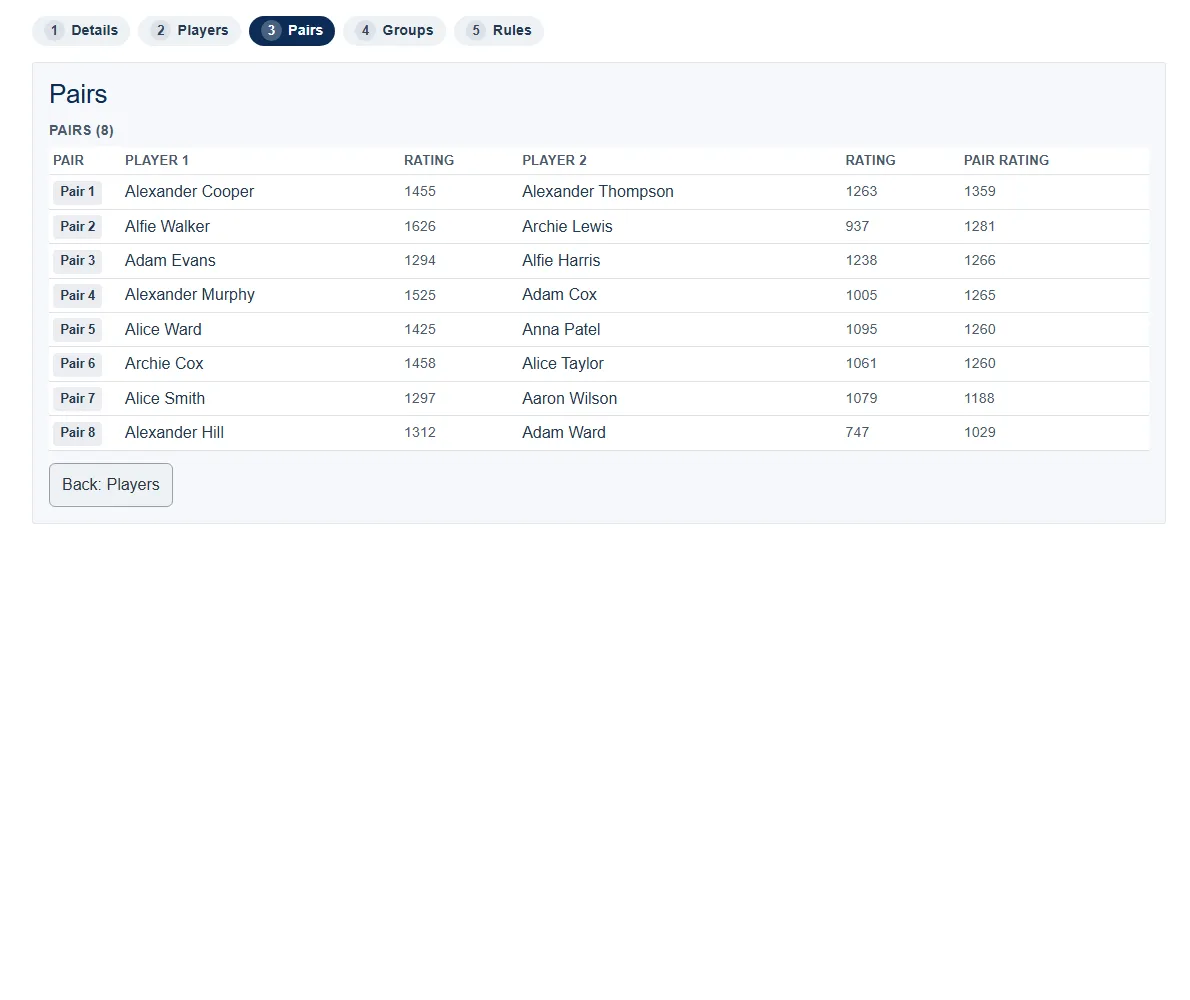 The Pairs step. Each pair puts a stronger player with a weaker one; the combined pair rating is shown on the right.
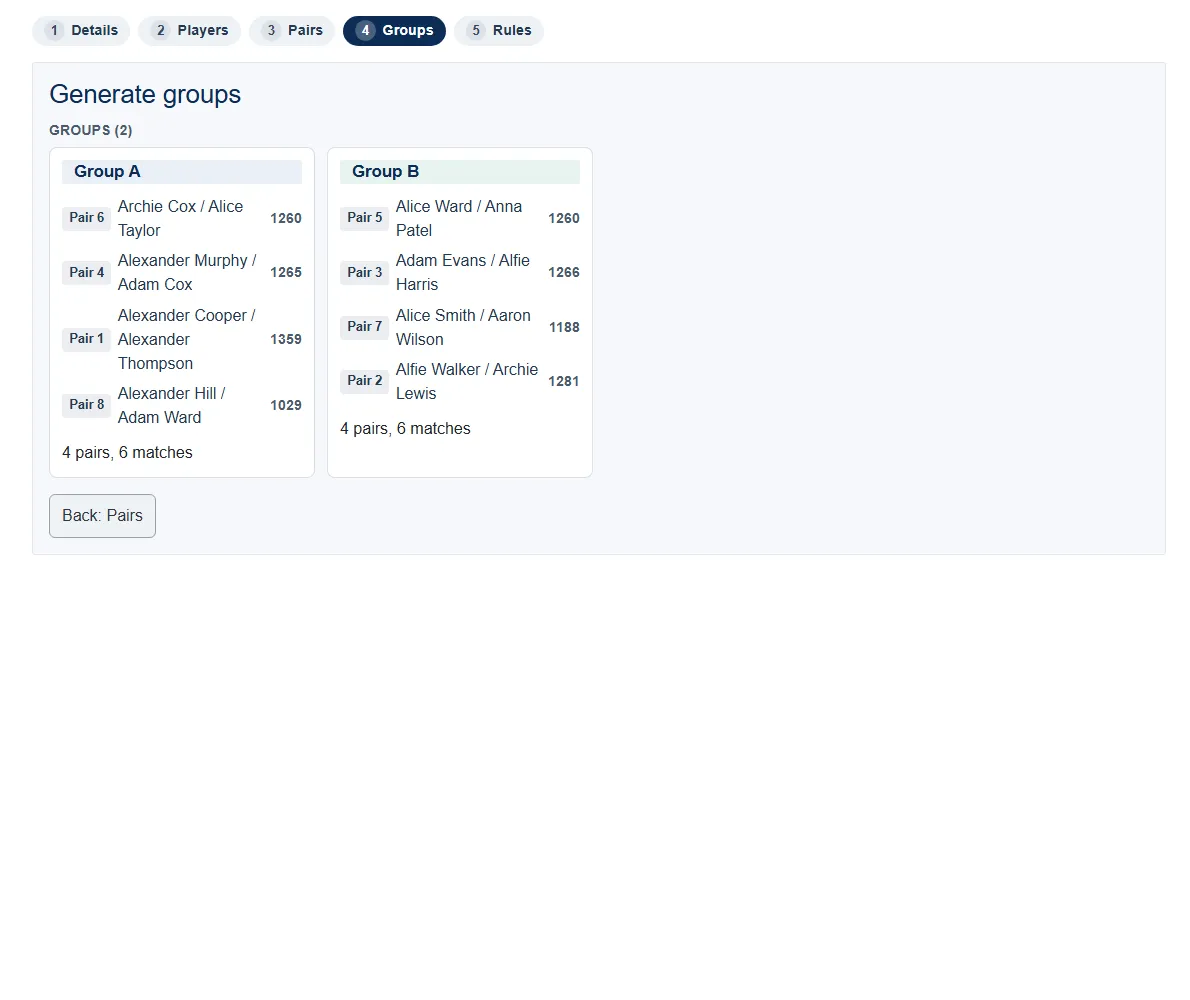 The Groups step. Pairs are dealt into groups (here two groups of four), each playing a round-robin.
Handicaps
Section titled “Handicaps”In each game, the weaker pair starts with a head start - shown plainly as “start on +N” next to their name. The size of the head start comes from the two pairs’ ratings, so a closely matched game has little or no head start and a mismatched one has more (up to +10 at the standard target of 21). It is the same rating engine that powers the club-night picker, so the head start reflects real form.
Running the group stage
Section titled “Running the group stage”Enter each match’s score as it is played. The standings update live, ranking pairs by matches won, then by points difference. The standings show, per pair: rank, matches played, won and lost, points for and against, and the difference.
You run the actual matches on your own courts - ePegboard manages the draw, fixtures, scoring and standings, but does not assign courts.
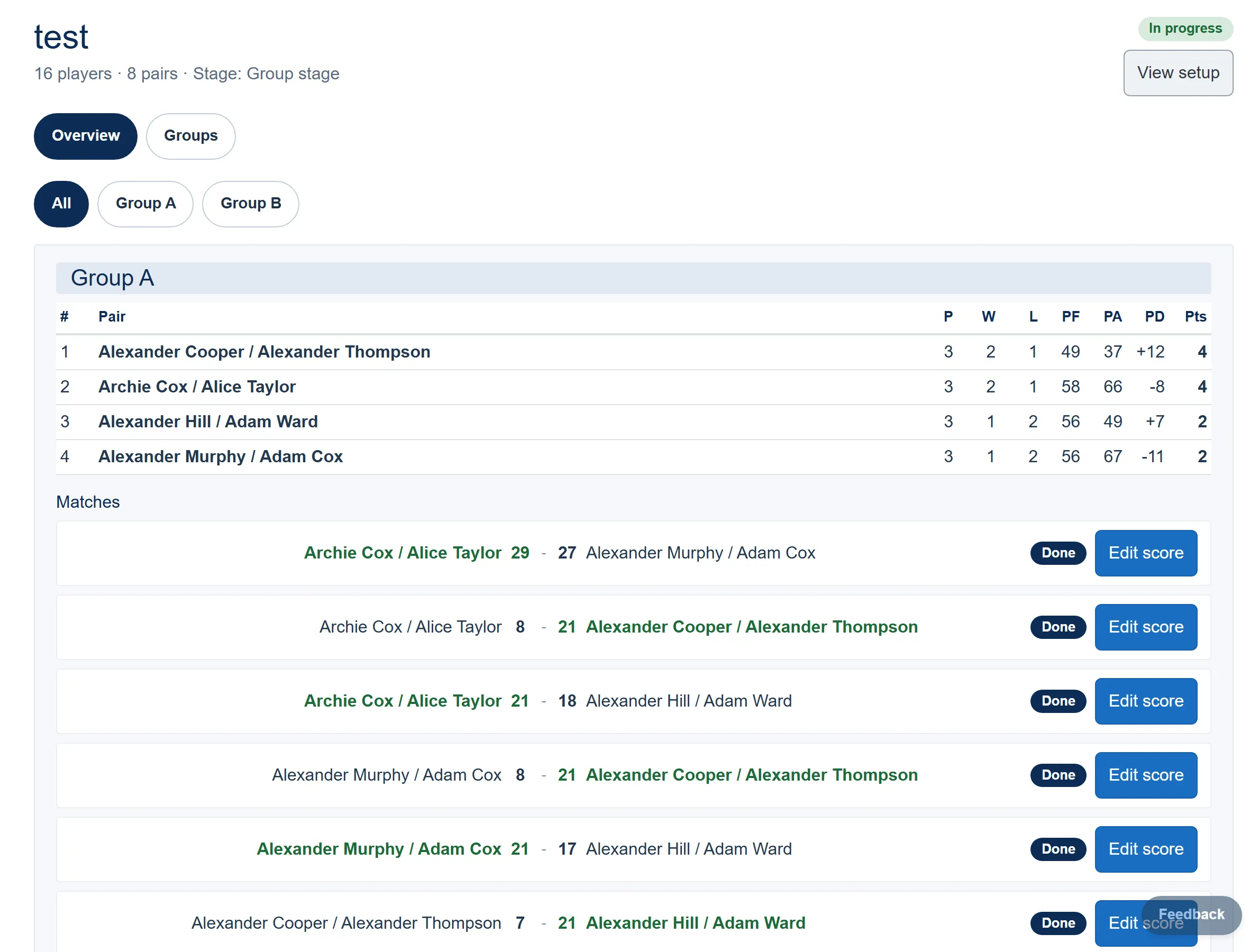 Live group standings update as you enter each match score.
The knockout
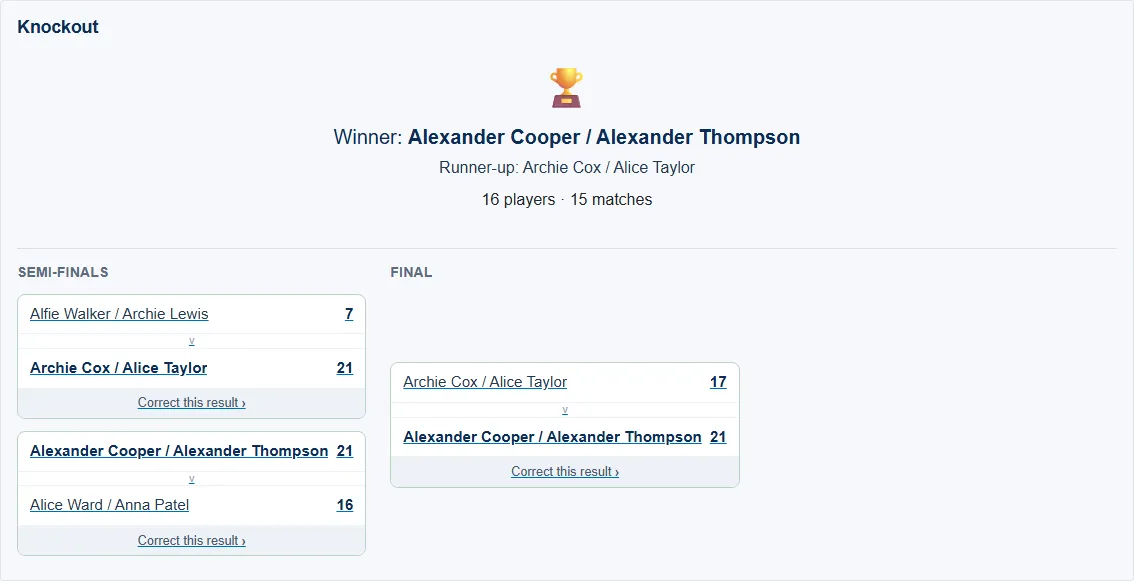
Section titled “The knockout”Once every group match is in, generate the knockout. The top two from each group qualify, seeded so group winners are kept apart early (A1 plays B2, B1 plays A2, and so on). If two pairs tie for a qualifying place, you choose which one goes through. Byes advance automatically. Winners progress round by round to the final, and the competition completes when the final is decided.
If you need to fix a score, you can correct a result; any later rounds that depended on it are reset so the bracket stays consistent.
Who can do what
Section titled “Who can do what”| Action | Owner | Admin | Player |
|---|---|---|---|
| View competitions, fixtures, standings and brackets | Yes | Yes | Yes |
| Create and set up a competition | Yes | Yes | No |
| Enter results and generate the knockout | Yes | Yes | No |