
Set up a handicap tournament
This guide walks through setting up a handicap doubles tournament: choosing players, drawing balanced pairs, building groups, and confirming the rules. When you are done the draw is locked and ready to run. For entering scores on the day, see Run a competition.
You need a club organiser role that can manage members. Setup is a five-step wizard - you can leave it half-finished and come back; it saves as a draft.
Before you start
Section titled “Before you start”- You need an even number of players, at least four (they play in pairs).
- Players are picked from your club members, so add anyone missing first - see Members.
- Ratings drive the balanced pairs and the head starts. Players without a rating yet are treated as around your club’s average.
1. Create the competition
Section titled “1. Create the competition”Open Competitions from the menu and choose New competition, then a handicap doubles tournament. Give it a name and a date (a short description is optional) and continue.
2. Choose the players
Section titled “2. Choose the players”Tick the members taking part. You can search by name and sort by name or rating. A running count shows at the bottom; you need an even number, so ePegboard prompts you if you land on an odd one.
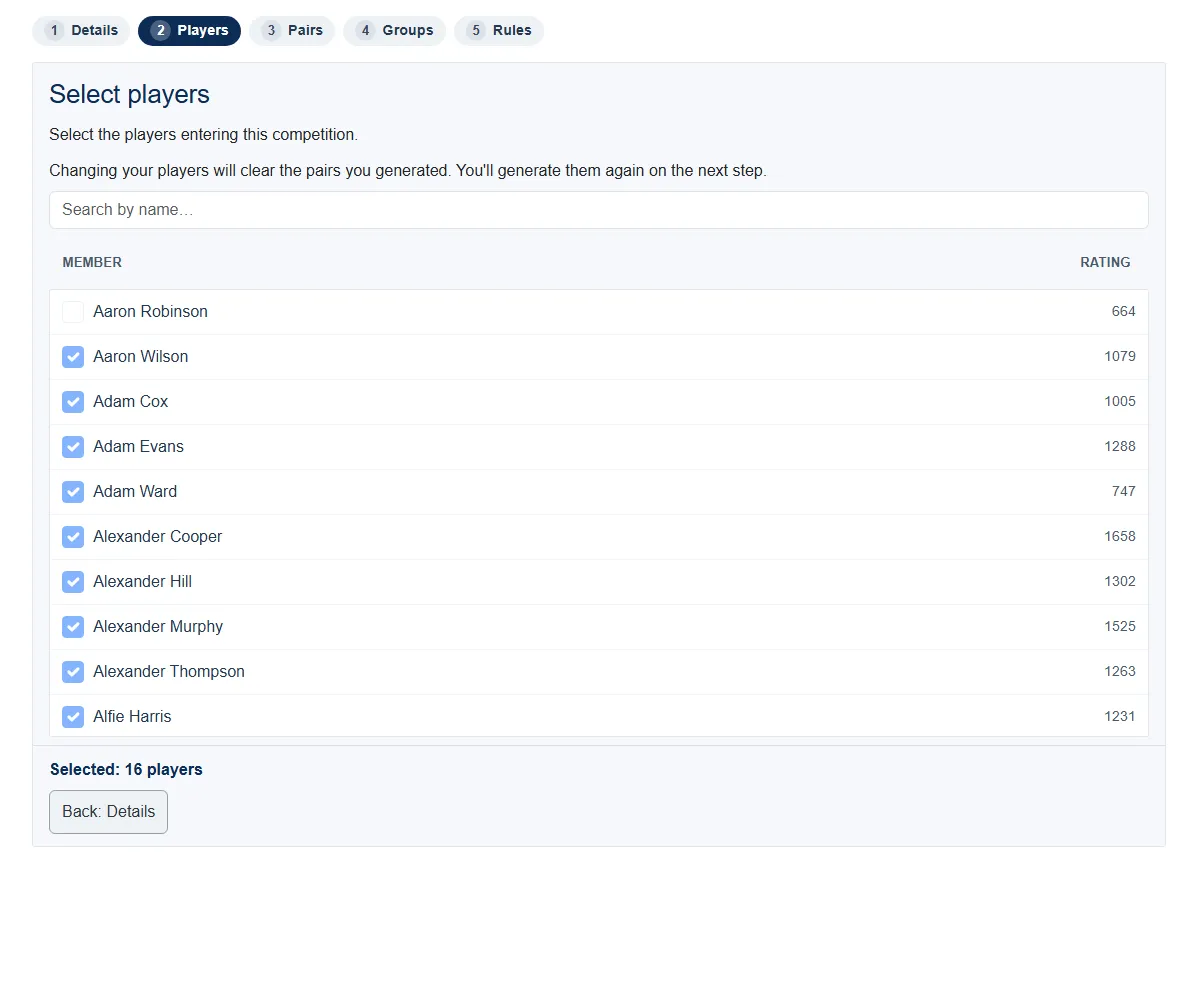
If you come back and change the players after drawing pairs, the pairs clear and you redraw them on the next step.
3. Draw the pairs
Section titled “3. Draw the pairs”Pick how to pair players:
- Balanced (recommended) pairs a stronger player with a weaker one so games stay close. ePegboard draws the pairs for you.
- Manual lets you choose every pair yourself from two dropdowns.
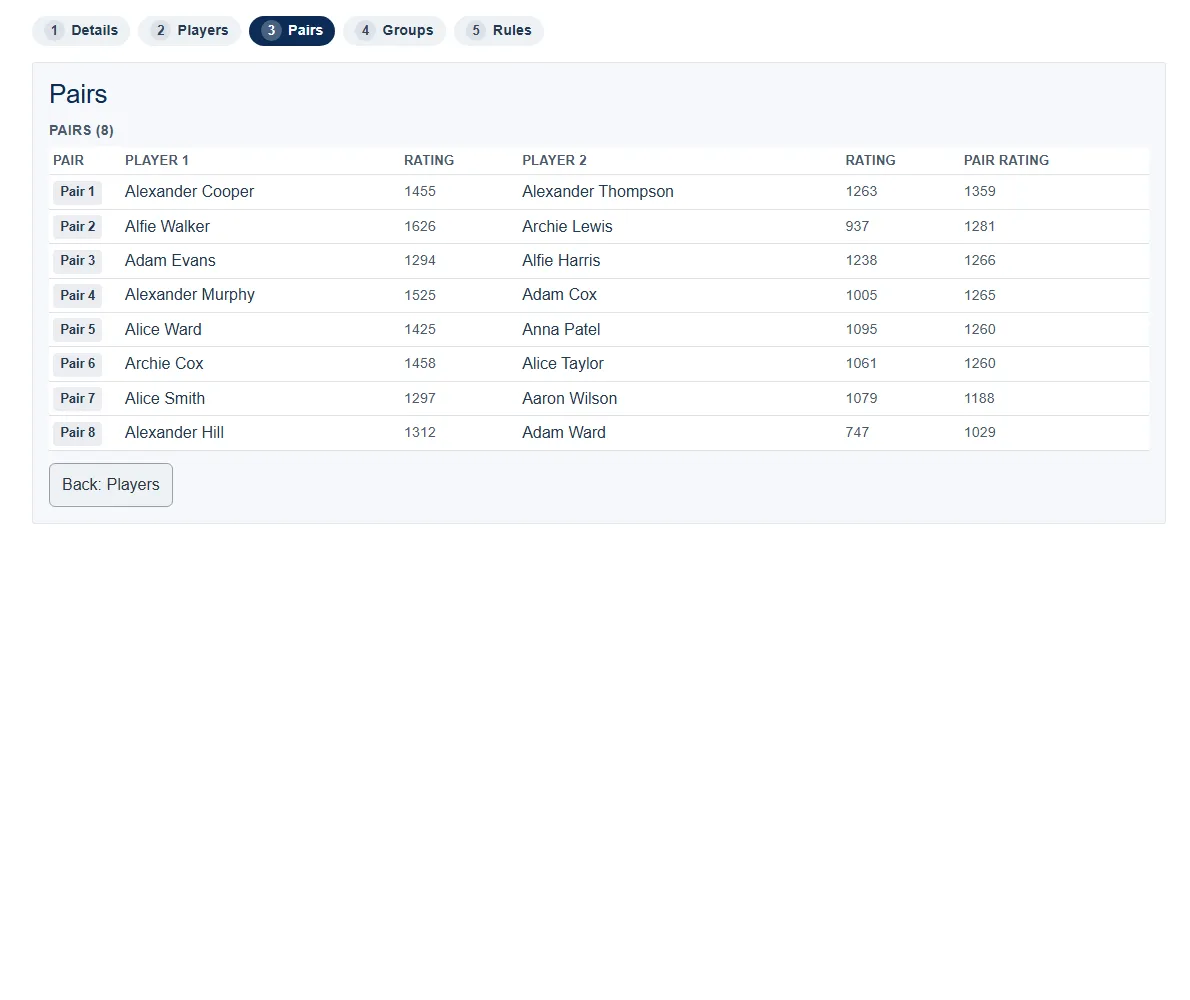
With a balanced draw you can fine-tune the result:
- Lock a pair you are happy with - it stays put when you redraw the rest.
- Swap two players between pairs.
- Don’t pair two players - they will not be put together when you redraw (you can also add this as a veto for any two players).
- Regenerate redraws everyone who is not locked, keeping your locks and vetoes.
Everyone must be in a pair before you continue.
4. Build the groups
Section titled “4. Build the groups”Choose how pairs go into groups - at random, or spread the strong pairs evenly across the groups - and how many pairs per group (3, 4 or 5). A preview shows the resulting group sizes before you commit, then Generate groups draws them.
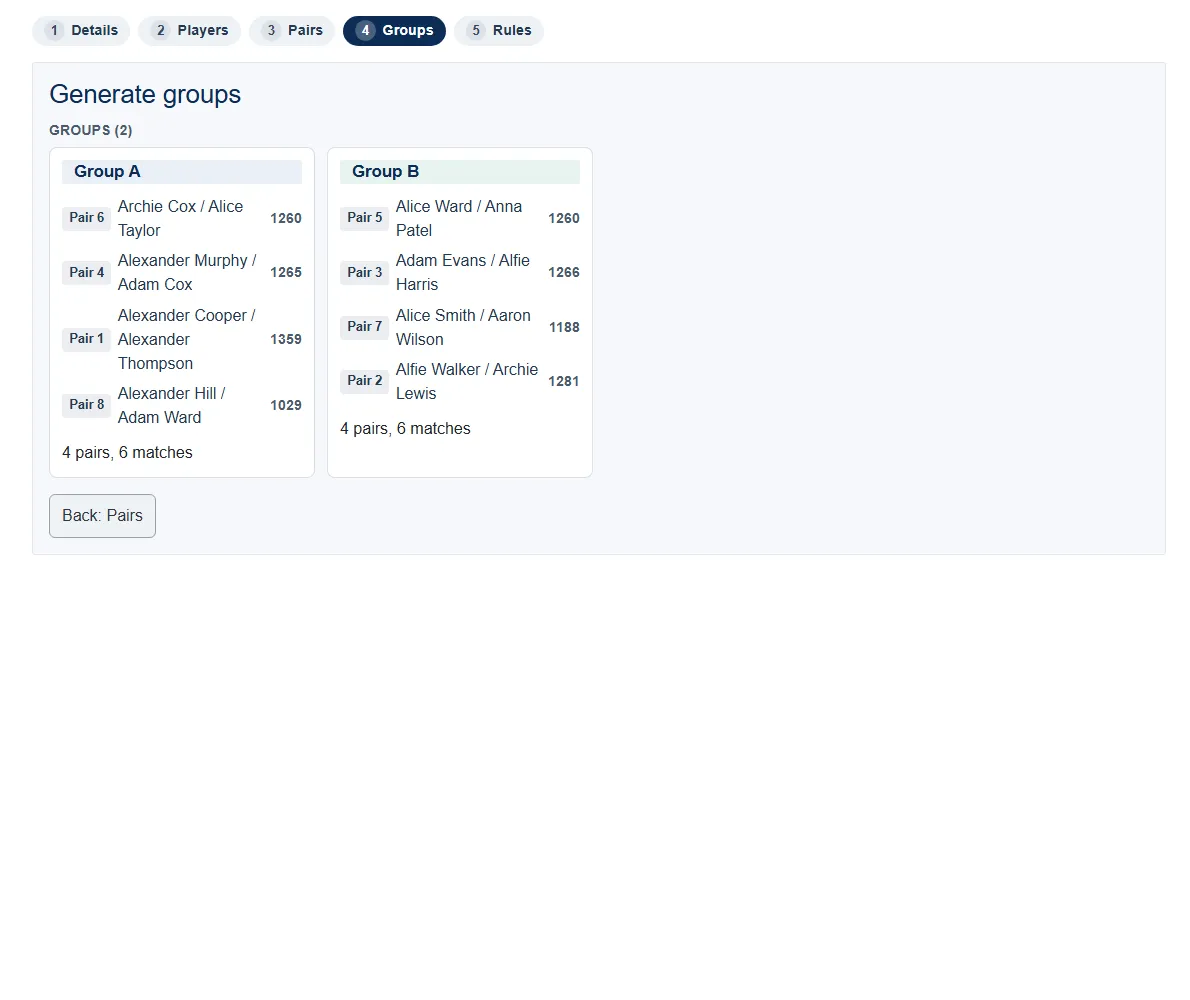
Within each group, ePegboard creates a round-robin automatically, so every pair plays every other pair in their group once.
5. Confirm the rules and start
Section titled “5. Confirm the rules and start”The last step shows the rules so everyone knows where they stand:
- Top two pairs from each group qualify for the knockout.
- Scoring: a single game to 21 (playable on to 30 if it goes to deuce).
- Tie-break order in a group: matches won first, then points difference.
- Head starts: weaker pairs get a start score so games stay close. ePegboard works this out from each pair’s rating - you never enter any numbers, and the stronger pair always starts on zero.
When you are happy, Start competition. This locks the draw - players, pairs and groups can no longer be changed - and the competition moves to in-progress.
- Run a competition - enter scores, read the standings, and run the knockout.
- Competitions reference - the feature at a glance.