
Correct a score or void a game
Mistakes happen on a busy night - a score tapped wrong, the wrong player on a court. ePegboard lets you fix them, both during a game and after it.
While a game is on court
Section titled “While a game is on court”Each live court has admin controls:
- Void - cancels the game and returns the players to their original queue positions. Use it if a game should not have started.
- Edit - opens Edit Court Game to change the players or the game-over score before the result is in.
- Move - sends this game to a different court. See Move a game to another court below.
- End - ends the running game so you can enter the score. It sits with the timer in the middle of the court card, not with the three above.
Move a game to another court
Section titled “Move a game to another court”Games start on the court you picked, and sometimes that turns out to be the wrong one - a light fails, a court is needed for a coaching slot, or two games were simply sent to the wrong places. Move puts a game on a different court. Nothing else about it changes - the same four players, the same score, the same game.
Move is the only way to change a game’s court. The Edit Court Game modal used to carry a Court dropdown as well; it has been removed, so if you remember changing a court from inside Edit, that is not where it lives now. Having two routes was the problem: the dropdown refused to move a game onto a court that was already busy, which is exactly the case organisers hit most.
Tap Move on the court card. The Move game window lists the courts you can send it to, one tap each - big targets, because this gets used standing at a tablet:
- An empty court moves the game straight there.
- A court with a game already on it offers a swap: the two games change places. Because that moves a game you did not open the window for, ePegboard asks first - the confirmation names both courts and both sets of four players, so you can check it is the swap you meant before choosing Swap.
- If nothing is available you get No other court is available to move this game to.
The list rebuilds as the board changes, so a court that fills while the window is open simply stops being offered.
Move applies to a game that is still being played. A game that has already finished and is waiting for its score has no Move - it is not on a court any more, and the players have walked off. If you notice after the event that a finished game went down against the wrong court, there is currently no way to correct it in the app.
On a shared tablet in kiosk mode, Move sits behind the same setting as Edit - Players can edit a game after it’s started. A club that has turned that off has turned court changes off with it, and Move needs Admin Mode.
Entering the score
Section titled “Entering the score”When a game ends, ePegboard asks which team won first, then you enter each side’s score. Depending on your club’s setting this happens in the side panel or in a popup the moment the game finishes. For the full flow - and how to choose where it appears - see Entering scores.
From the score panel you can also Reactivate a game (send it back to the court) or Void it.
Fixing a finished game
Section titled “Fixing a finished game”Open the Completed Games tab on the session board. It lists every game played, with an Edit and Void action on each. On a long night, use the Search by player name box at the top to filter the list to games involving one player.
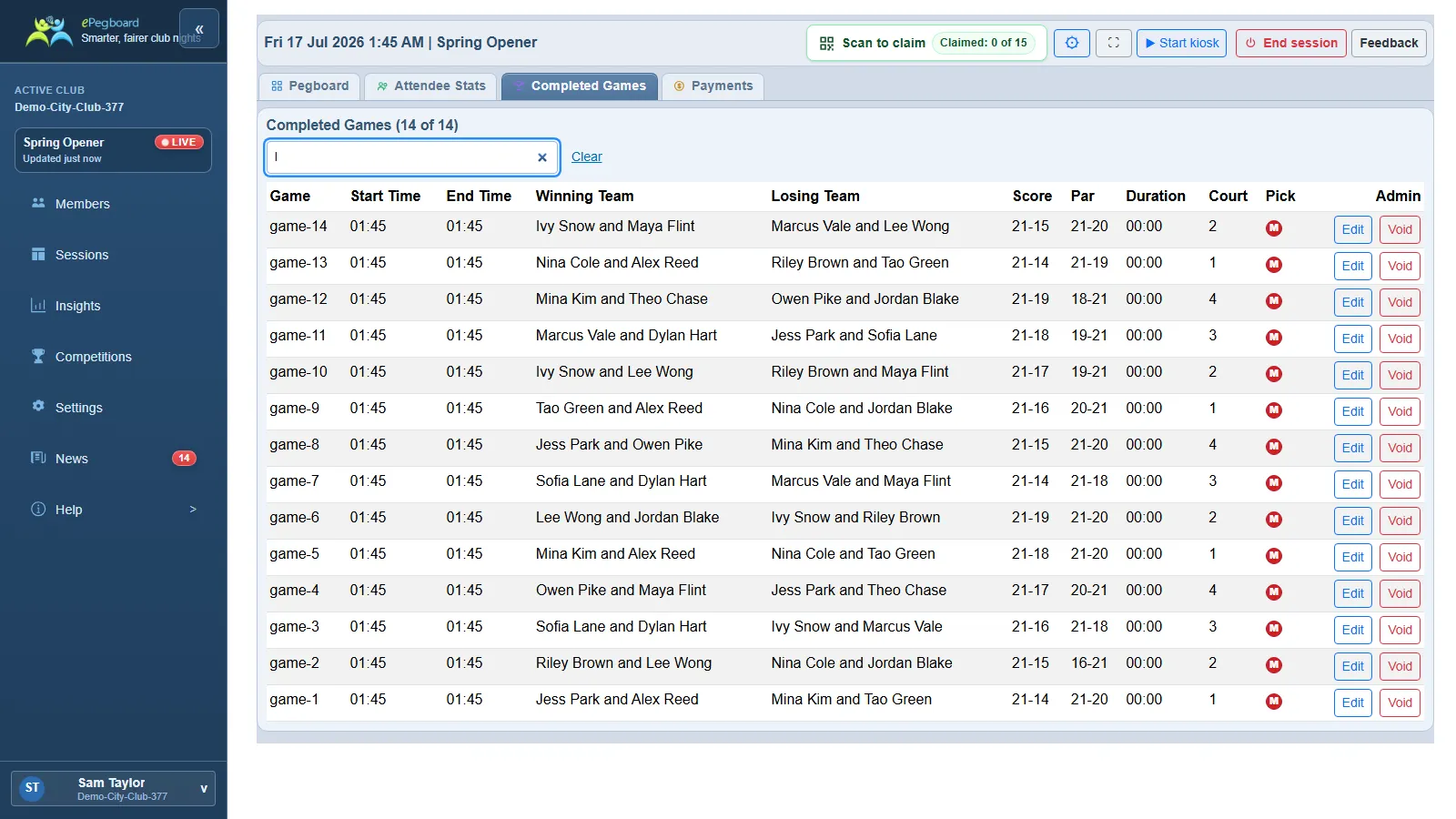
Edit opens Correct completed game. You can change:
- the lineups - any of the four players, and
- the score - each team’s points.
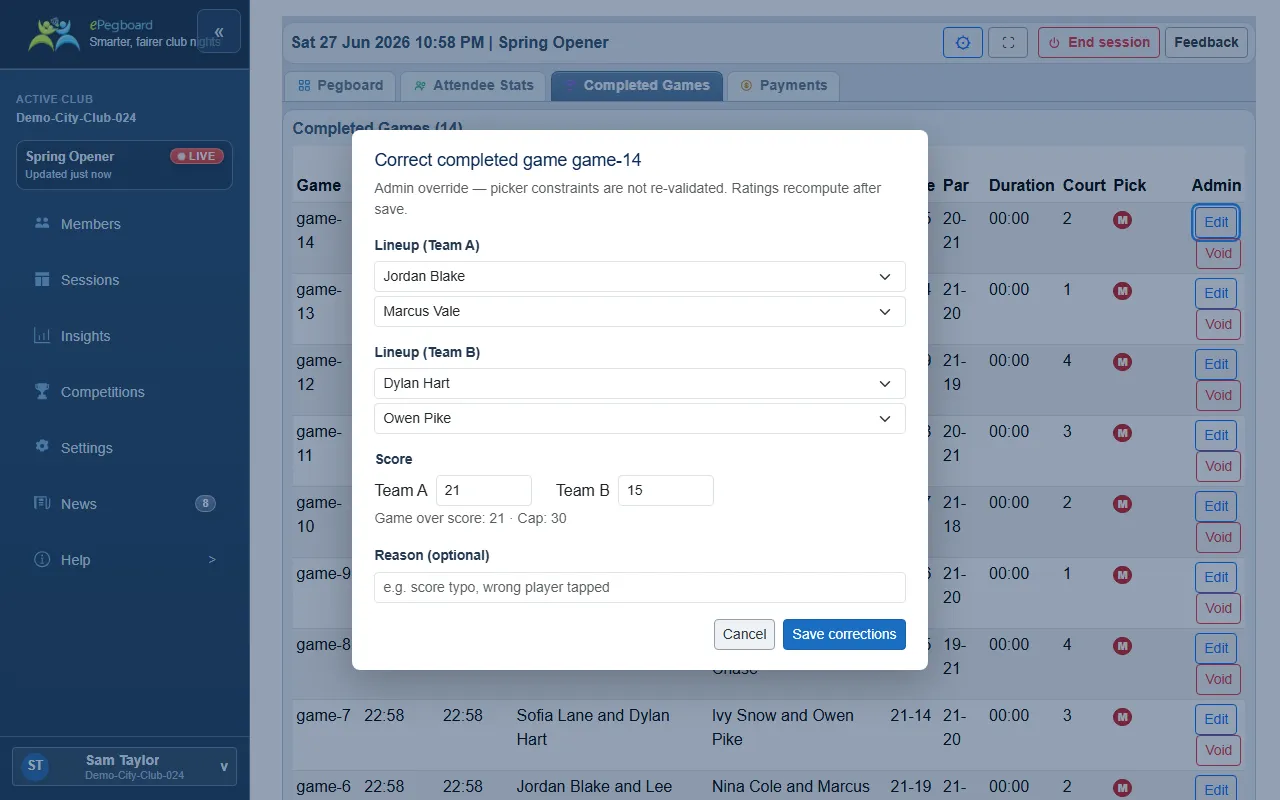
Add an optional Reason (“e.g. score typo, wrong player tapped”) so the change is easy to understand later, then choose Save corrections. Ratings recompute automatically from the corrected result. A corrected game is marked (edited); tap that to see the full correction history - what changed, when, and by whom.
Void opens “Void completed game”, which excludes the game from ratings and history. Use it when a game should not count at all, as opposed to fixing it with Edit.
On a shared tablet in kiosk mode
Section titled “On a shared tablet in kiosk mode”If a session is running in kiosk mode, editing or voiding a finished game is organiser-only: the Edit and Void buttons on the Completed Games tab show as locked. Step into Admin Mode - tap the KIOSK pill and enter the club’s organiser PIN - and they become available. This only affects games that have already finished; entering or fixing the score on a game still in progress is never gated (players run the live board in kiosk mode).
Who can do this
Section titled “Who can do this”Score corrections, during and after a game, are for club admins and owners.
- Kiosk mode and the PIN - protect these actions on a shared tablet.
- How ratings work - why a corrected score changes ratings.