
Sign up and create your club
Getting started takes a couple of minutes: create an account, then create your club.
Create your account
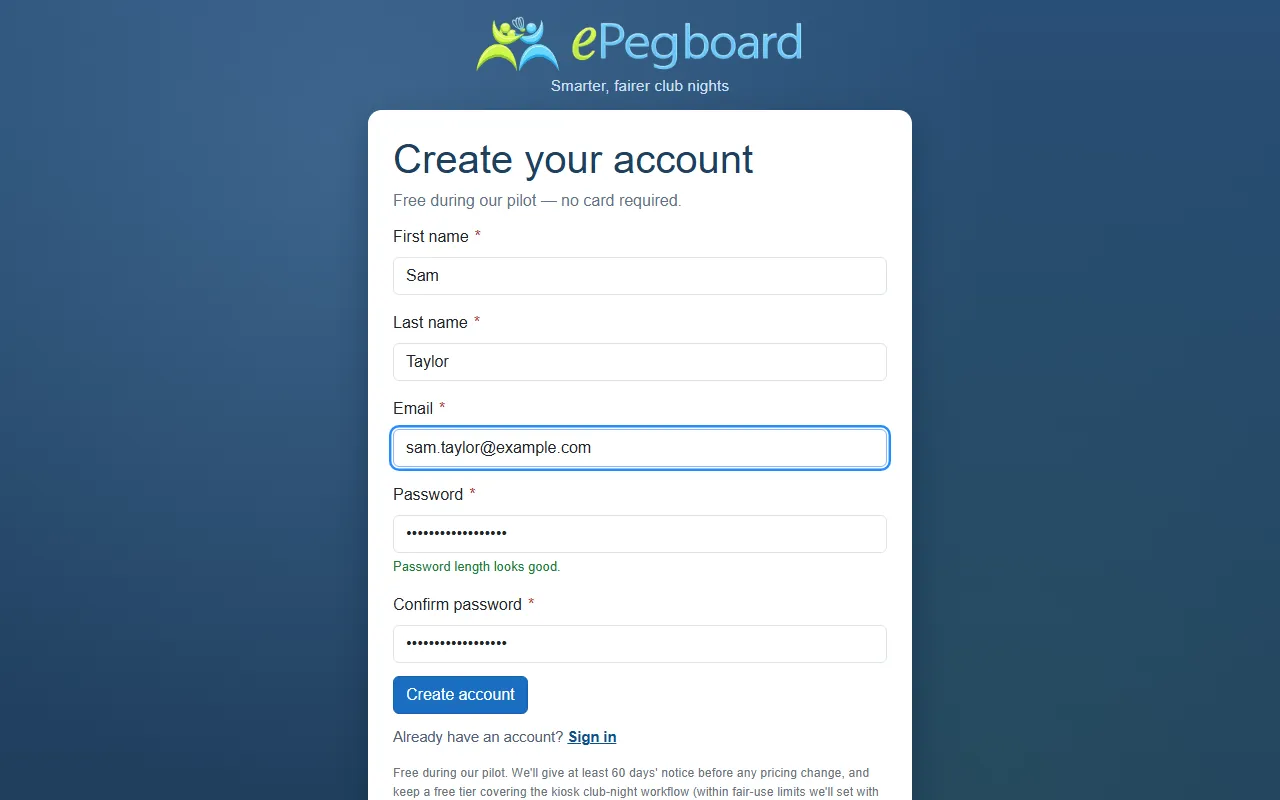
Section titled “Create your account”Go to play.epegboard.com/signup and fill in:
- First name and Last name
- Password (at least 8 characters) and Confirm password
Choose Create account. It is free for every club, no card required.
Confirming your email
Section titled “Confirming your email”We send a verification email so we can reach you about your account. You do not have to confirm it before you start - you can go straight on and set your club up. A reminder shows in the app until you do, with a link to resend it.
Confirm it early rather than late. Some of what ePegboard sends organisers only goes to confirmed addresses - including the email telling you that people are waiting to be approved into your club - and an unconfirmed address is skipped without telling you.
If the email is not in your inbox, check your spam or junk folder and mark it “Not junk”.
Choose how to start
Section titled “Choose how to start”After signing up you land on your Clubs page. You have none yet, so it shows you the ways in:
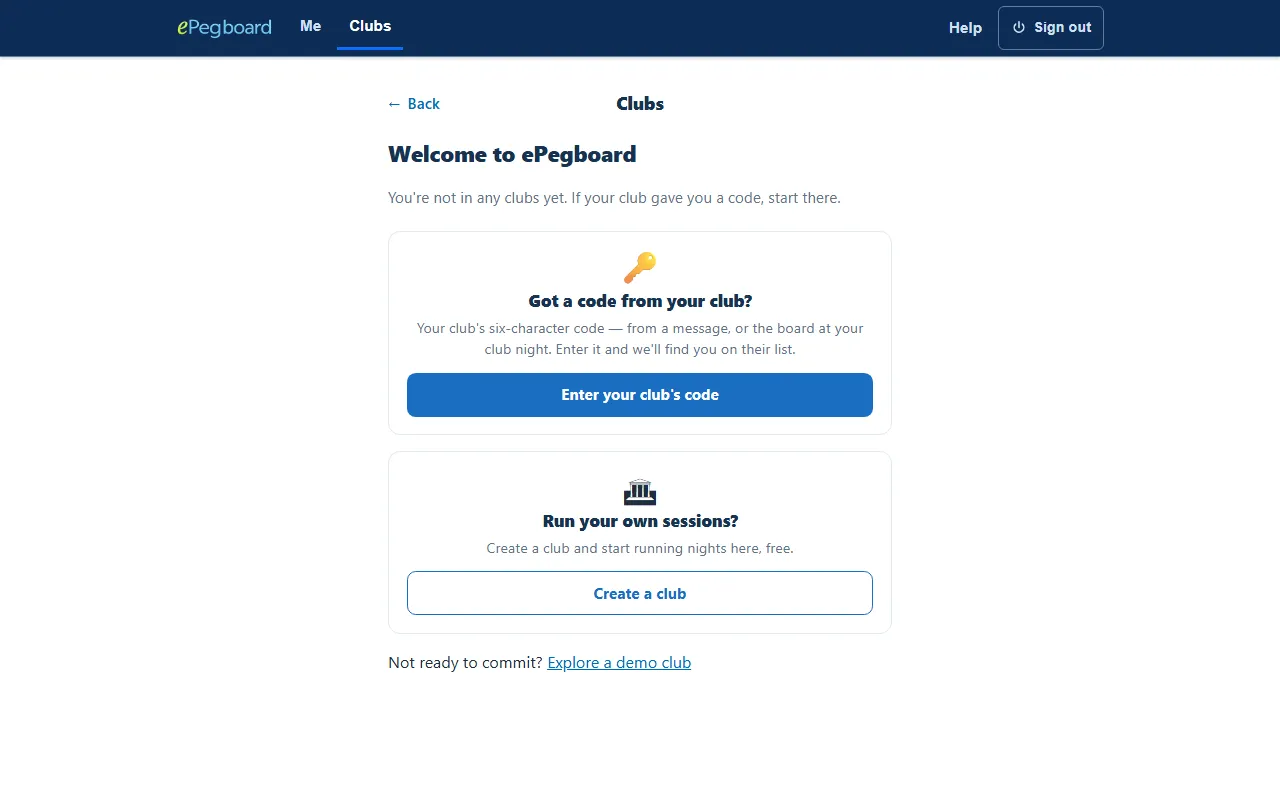
- Got a code from your club? - if someone has given you a six-character join code, this is your route. Enter your club’s code connects you to a club that already exists. See Claim your spot.
- Run your own sessions? - Create a club sets up a new one. This is the route if you are the organiser.
- Explore a demo club - drops you into a ready-made live session so you can see how a club night runs without setting anything up. Good for a first look, and you can share the demo with others.
Create your club
Section titled “Create your club”Create a club asks for:
- Club name - required.
- Where you play - optional: venue name, town or city, postcode and country. You can add it later.
Choose Create club. You become the club’s Owner, and land on a short screen confirming it is set up, with two ways on:
- Manage this club - the organiser console, where you add members and run sessions. This is the one you want next.
- View your club - the club home your members will see.
What next
Section titled “What next”Once your club exists:
- Set up your session profiles - your courts, scoring and pricing defaults.
- Import your roster - bring your members across in one go.
- Share your join code - so your members can connect their own accounts.
- Add another organiser - give helpers access.
- Run your first club night - put it all together.