
Claim your spot
When you play at a club that runs ePegboard, your games are recorded against your name from the start - you do not need an account for that to happen. Claiming your spot is how you take ownership of that record and turn it into your account.
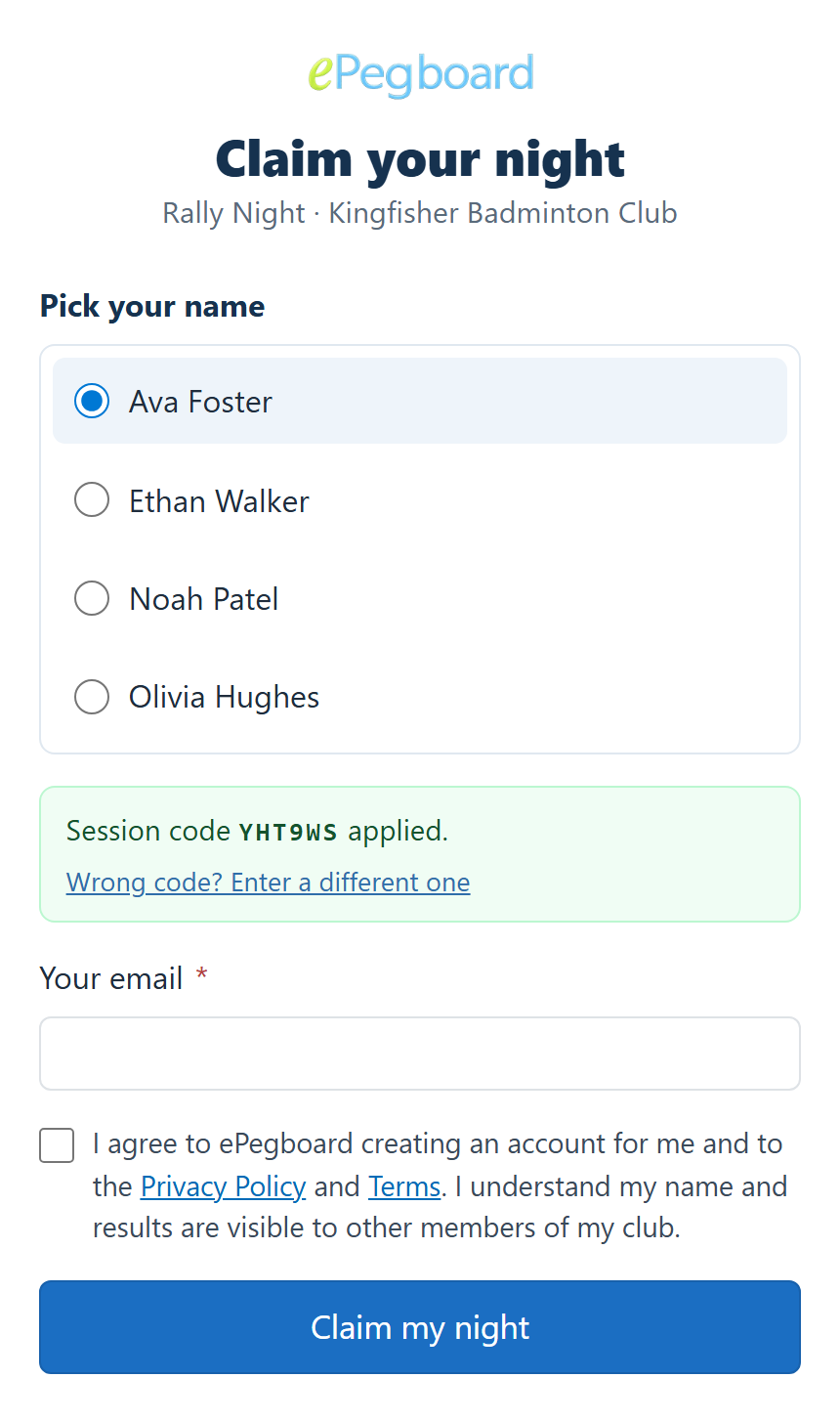
There are two ways in, and you can use either: your club’s join code, or claiming your name at a club night.
Joining your club with a code
Section titled “Joining your club with a code”Your club will have a join code - six characters, letters and numbers, something like XPK M4T. It hands it out: in the group chat, by email, read out at the end of a night, or shown on the board at the club night itself. The same code works every time, until the club replaces it.
You need an account before you can use it, because ePegboard will not show you a club’s members until it knows who you are.
- Sign up at play.epegboard.com, or sign in if you already have an account.
- Go to Clubs and choose Enter your club’s code (Join a club with a code if you are already in one).
- Type or paste the code. Pasting the whole message your club sent is fine - we will pick the code out of it.
- Find your name on the club’s list and tap it. If your name is not there, choose I’m not on this list.
What happens next
Section titled “What happens next”That depends on how your club has set things up:
- Most clubs approve first. Your request goes to whoever runs the club nights, and nothing is connected until they say yes. You get an email when they decide, either way.
- Some clubs connect you straight away. You are in as soon as you tap.
Either way, once you are connected the games and rating already recorded against your name are yours.
Names that are already connected to someone show as Connected, so you can tell yours apart. If you cannot find your name at all, I’m not on this list asks the club to add you as a new member.
Claiming your name at a club night
Section titled “Claiming your name at a club night”Your name is already on the board because the organiser checked you in. Claiming your spot links that name to you. Once you have claimed it, the games recorded against your name - and the rating that comes from them - are yours.
The route in is the link your club shares at the end of the night: the session recap. Open it, find your name, and claim. Claiming doubles as signing up - the account is created as you claim, so you go straight from “that is my name on the board” to having your own account, rating and history, with that night’s games already attached.
Signing up directly
Section titled “Signing up directly”If you would rather set up an account before you next play, you can sign up directly at play.epegboard.com/signup. When you play at a club after that, join it with its code and your games attach to your account.
Every route gets you to the same place - one account that carries your rating and history at every club you play at. See Your rating and stats for how one account works across multiple clubs.
Signing back in
Section titled “Signing back in”Next time you come back, sign in however suits you:
- Password. Set one when you signed up, and sign in with it.
- A sign-in code by email. On the sign-in page, choose Email me a sign-in code - no password needed. We email you a code to type in.
- A magic sign-in link. We can email you a link that signs you in when you tap it.
If you joined by claiming your name, you may never have set a password at all, and that is fine - the sign-in code is the route for you.
We verify your email address so the account is genuinely yours and your history stays tied to you.